How to edit
Any player with a Holoverse account can edit this wiki. Sign in with your Holoverse account, open the page you want to change and press Edit. When you're done, write a short edit summary and save.
Before you start
- Every item, planet, system, location, NPC and faction already has a page, made from the game's own data. A page nobody has written yet shows a stub with the data box. Writing it replaces the stub.
- Some pages are protected: only wiki staff can change them.
- Recent changes lists every edit. Use it to see what changed and to spot mistakes.
Page addresses
A page's address says what it is:
| Address | What it is |
|---|---|
items/bean_stew | An item, by its game id |
planets/tessera | A planet |
systems/porchlight | A star system |
locations/frontier-town | A location |
npcs/pharmacist | An NPC or creature |
factions/settlers | A faction |
guides/farming | A guide (lowercase letters, numbers and hyphens) |
Item, planet and other entity pages take their title from the game. Guides start with a title block:
---
title: Farming
---
Formatting
The wiki uses a small, plain Markdown:
## Headingand### Smaller heading- Paragraphs: leave a blank line between them
- Lists: start lines with
-or1. **bold**,*italic*and `>for a quote---on its own line for a rule- Links out:
[text](https://example.com) - Tables: lines that start and end with
|; the first line is the header
No raw HTML and no images yet.
Wiki links
Link another page with double square brackets:
[[items/bean_stew]]shows the page's title: Bean stew[[planets/tessera|the lake world]]shows your own words: the lake world
A link to a page nobody has written still works: it goes to the stub.
Widgets
Widgets pull live data from the game, so the page stays right when the game changes. Put each one alone on its own line. With no argument, a widget means the page's own thing.
| Widget | What it shows |
|---|---|
{{infobox}} | The data box. Put it first on every item, planet, location, NPC and faction page. Elsewhere: {{infobox items:bean_stew}} |
{{recipe recipe_bean_stew}} | A card for one recipe, formula or blueprint |
{{crafting}} or {{crafting bean_stew}} | Every recipe that makes the item |
{{used-in}} | What the item goes into |
{{crop bean_seeds}} | A crop's growing table |
{{item-grid kind=consumable}} | A grid of items by kind, category=, tag=, or a list of ids: {{item-grid beans bean_stew}} |
{{recipe-list book=recipes}} | Recipes: book=formulas, type=blueprint or at=stove |
{{planet-list system=porchlight}} | Planets: all, or one system |
{{location-list planet=tessera}} | A planet's locations |
{{npc-list role=creature}} | NPCs by role (creature, cast, archetype) or faction=settlers |
For example, this is the bean stew recipe:
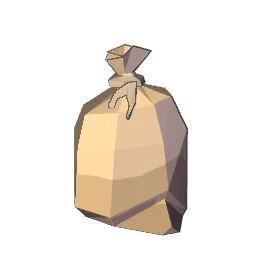
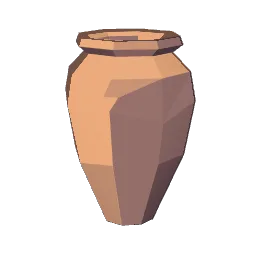
Use a widget instead of typing numbers the game already knows, such as stats, prices or recipe inputs. Typed numbers go stale.
House style
Write the way the game does: plain, helpful and short.
- Say what a thing is and what it's for, then how to get or use it.
- Use the game's words for things. A dish has a recipe, a drug has a formula. You cook at a stove, mix at a Chem lab, pick a wild plant and harvest a farm plot. A drug has a strength (I to V). A fallen NPC leaves a body. Work from the job board is a contract.
- Use American English and numerals ("3 crates").
- Write what the game does now, not what it might do later.
- Keep opinions and strategy in a Tips section, apart from the facts.
What not to do
- Don't guess. If you aren't sure how something works, leave it out or check in the game first.
- Don't copy stats or recipe inputs by hand: use a widget.
- Don't post exploits, cheats, other players' personal details or anything you wouldn't say in Global chat.
- Don't blank pages or start edit wars. If you disagree with an edit, explain why in your edit summary.